Dashboard Guide
Core Concepts
Section titled “Core Concepts”Workspace: A team boundary. Members, hosts, and jobs are managed per workspace. You can create multiple workspaces.Host: A machine/execution source that belongs to one workspace. Create a host in the dashboard and use its one-time token inobsern.yaml.Job: One process execution record sent byobsern run <command>. Each job includes status, command, tags, timestamps, and trailing logs.
Relationship:
- One workspace has multiple hosts.
- One host can produce multiple jobs.
- Jobs are viewed and managed inside their workspace.
Use this flow when onboarding a new workspace:
-
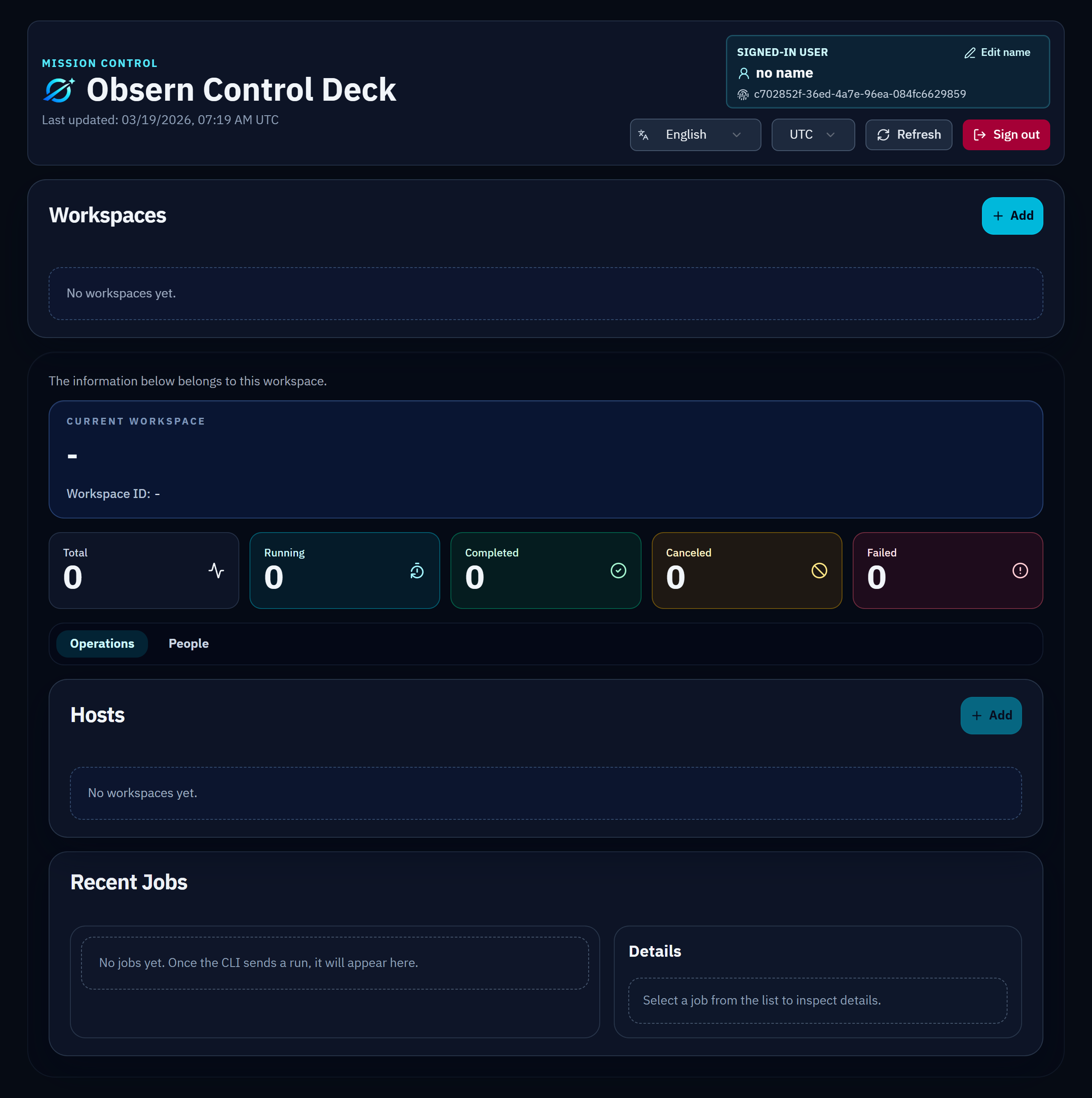
Initial dashboard (before workspace)
Open the dashboard after account creation and verify your session is active.
-
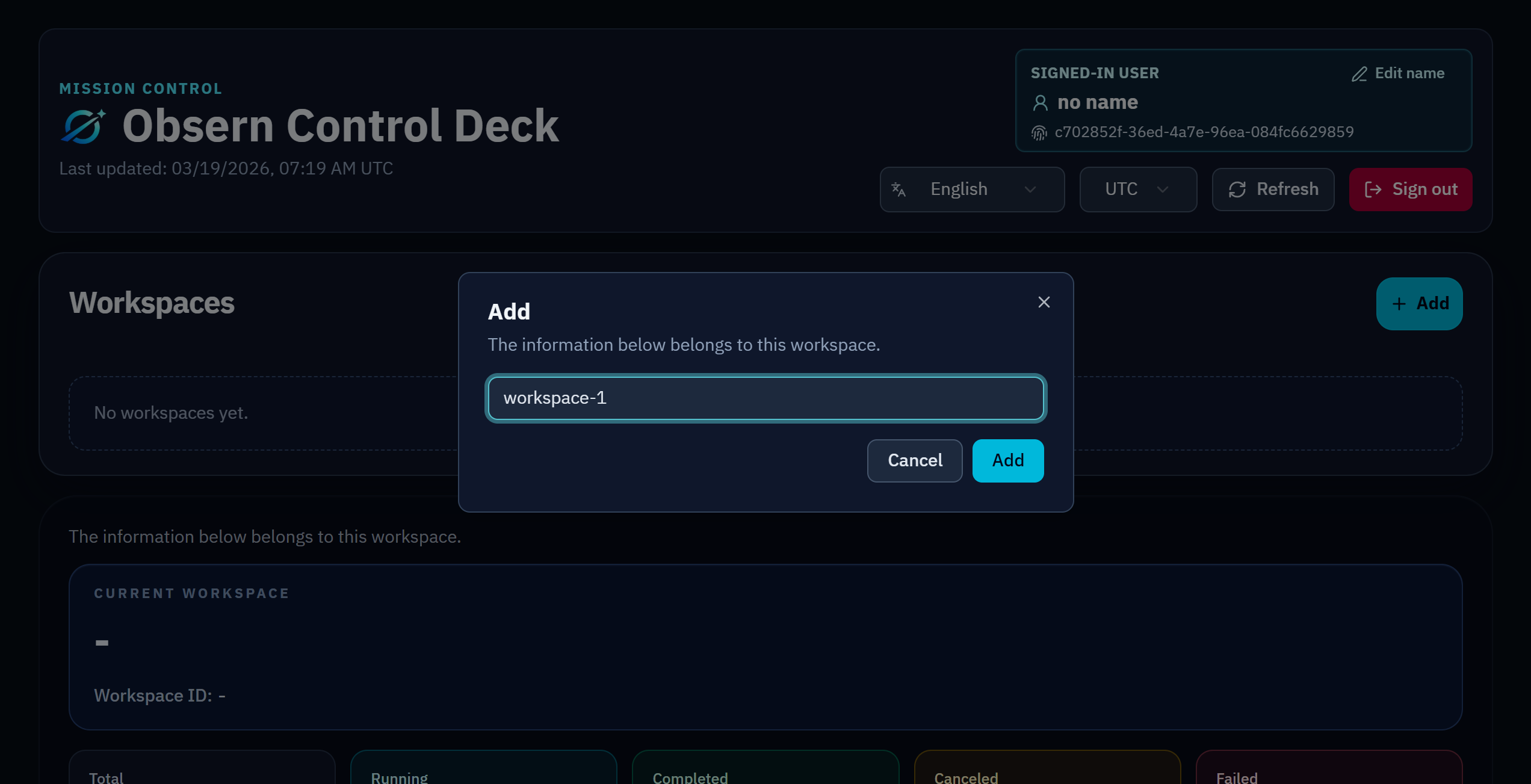
Workspace creation
Create a workspace to define the scope for hosts, jobs, and member access.
-
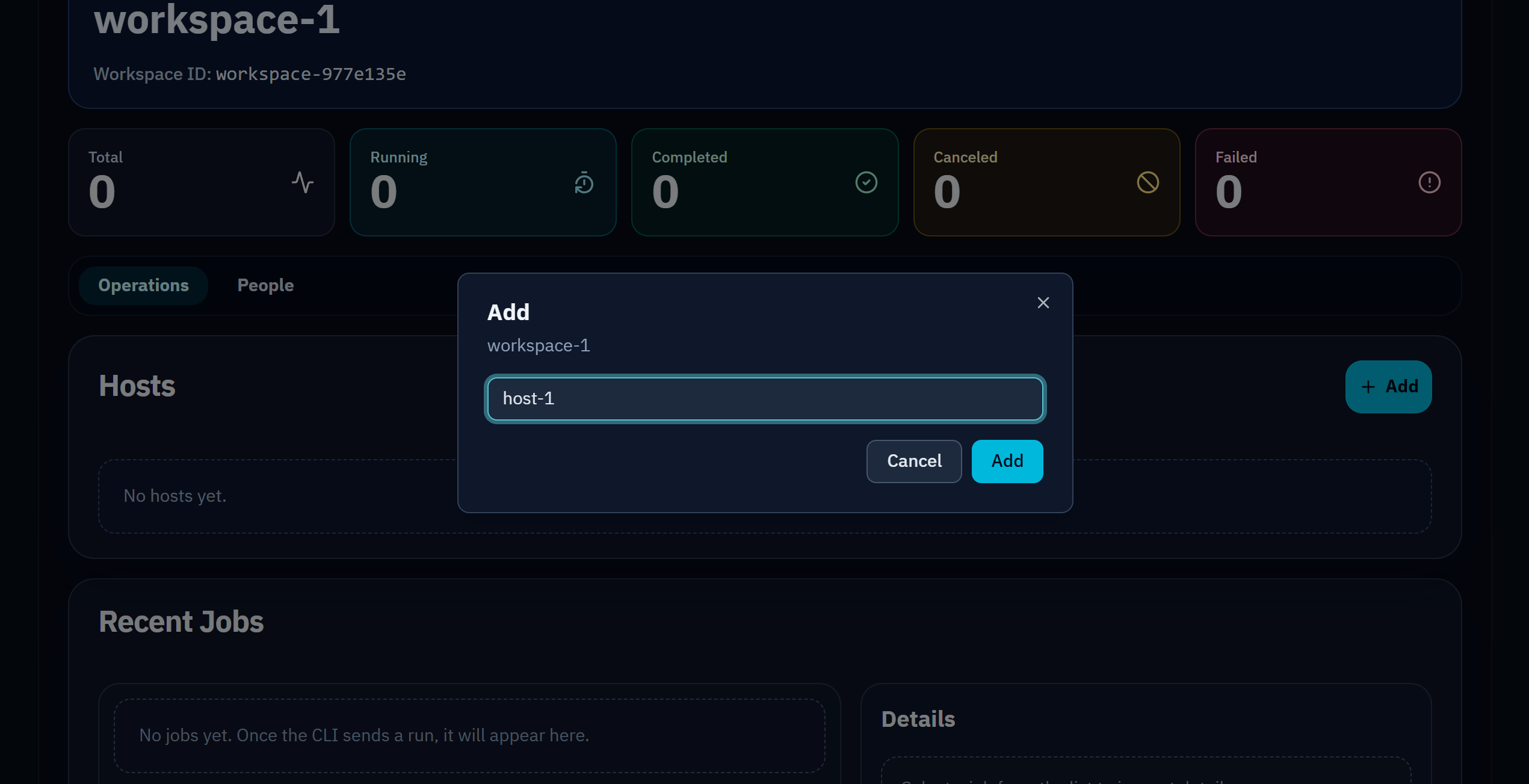
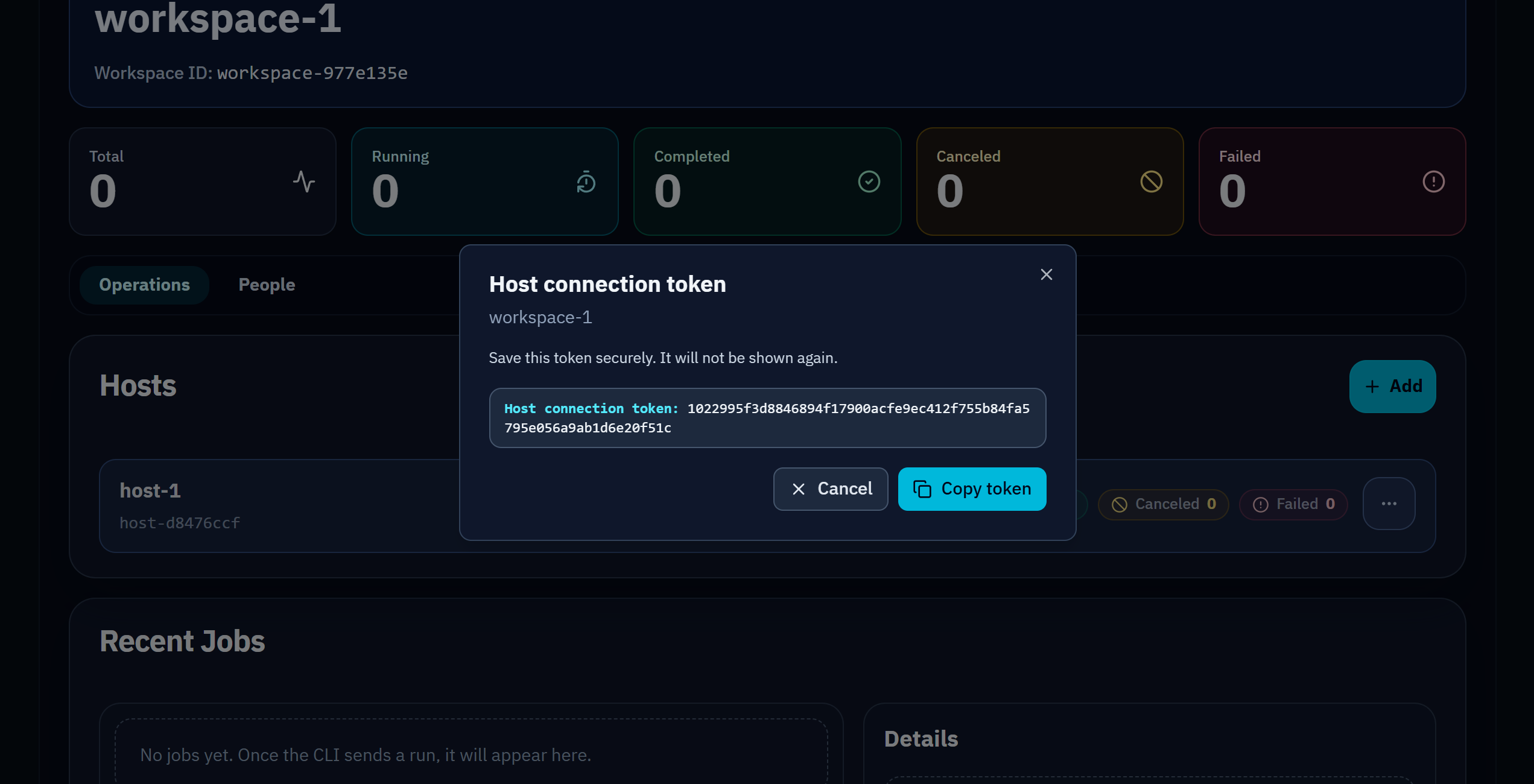
Host creation and token one-time display
Create a host in the workspace, then copy and store the token shown once.
-
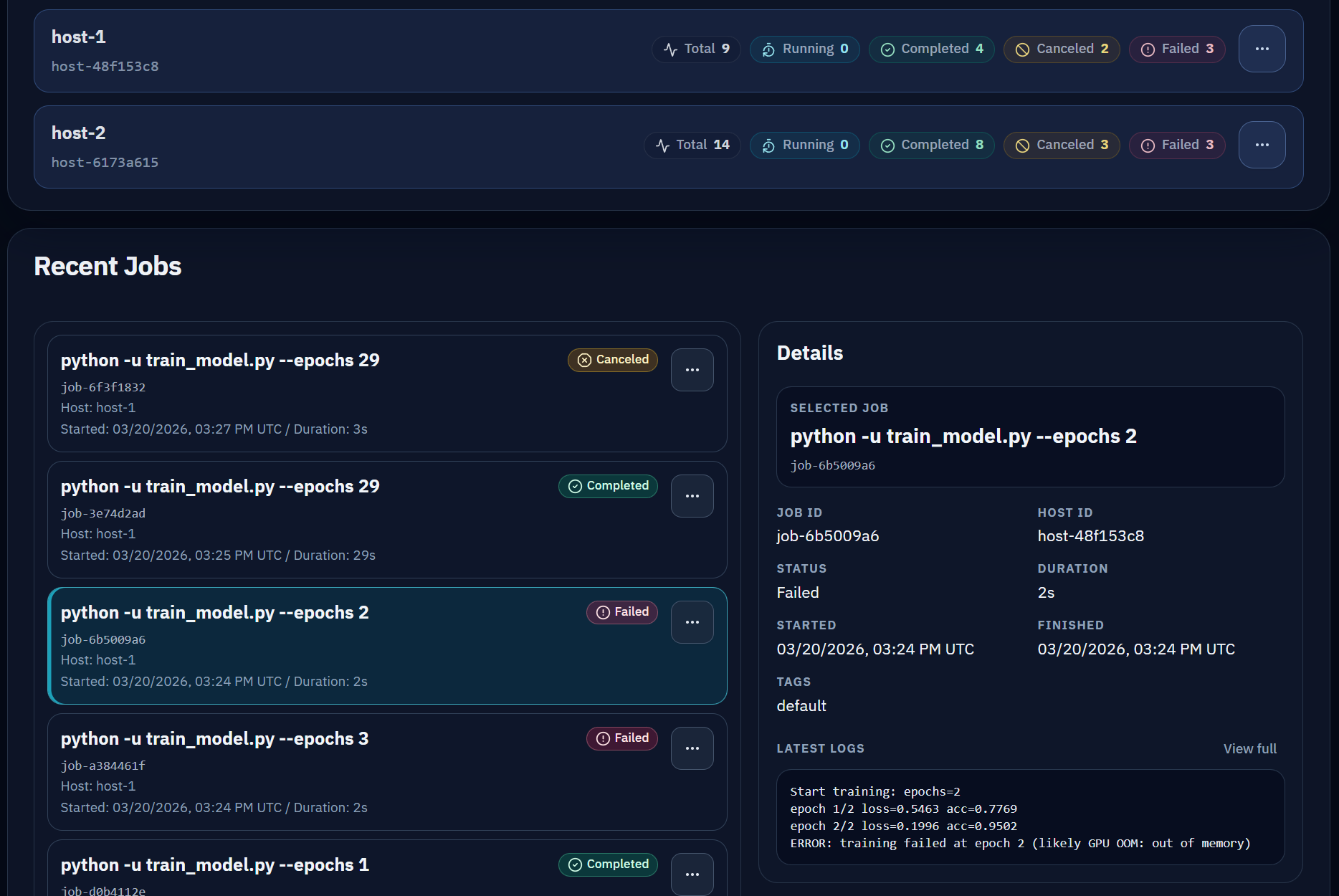
Jobs and details
Run commands through Obsern, then review status, tags, timestamps, and trailing logs in the jobs panel.
-
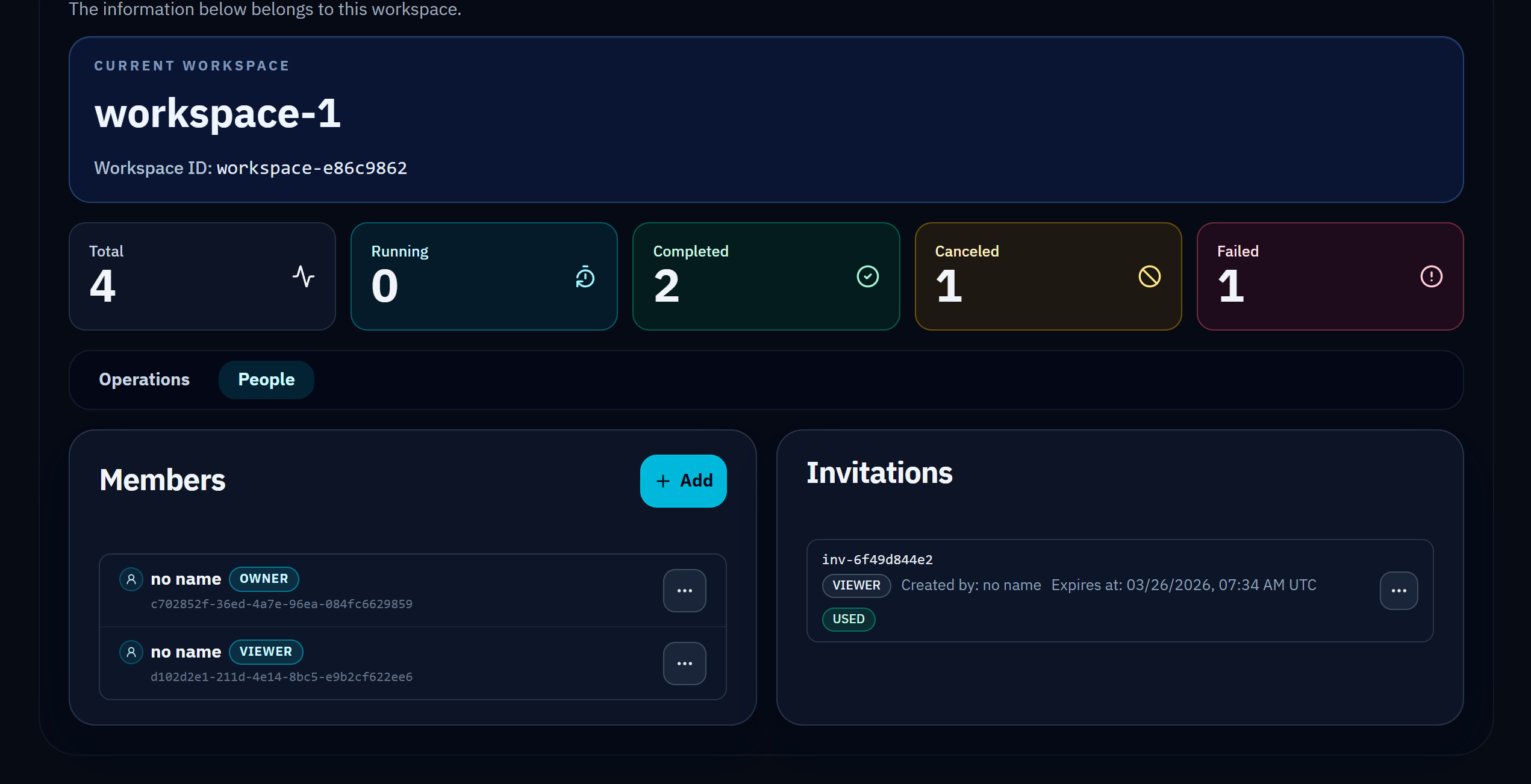
Member invitations and role state
Invite members and check role assignment for collaboration and access control.